
Case Study • Process Automation • Real Estate Lead Processing
Five hours, cell by cell. Gone. One minute, start to finish.
A real estate lead-processing system that imports raw property and skip-tracing exports (from services like IDI, LeadSherpa, and AllTheLeads) and creates standardized exports of data for CRM and dispo platforms like HubSpot and OpenDispo, in continuous use since December 2022.
The Challenge: How do you turn a 225-column raw export, with several contacts crammed into every row, into a clean list ready for a CRM? One cell at a time, if nobody automates it.
The client exported property and contact data from auction sites and skip-tracing services, each with its own inconsistent format. She then copied and reformatted that data by hand into the structure her CRM required. A single file took about five hours to process. And every new data source or destination meant learning — and manually reworking — an entirely new format.
The bottom line: The more data sources and CRMs she used, the more manual reformatting stood between her and an actual lead to call.
Structured
Every source, no matter its format, maps into one of two master tables — new skip-tracers and CRMs plug into that structure without breaking anything already built.
Automated
A single dynamic array formula generates each export file, the format tailored to exactly what the destination system requires.
Tailored
Grew from one automated import to a full multi-pipeline system as the client’s business added new lead types, skip-tracers, and CRMs.
How I Built It
What data is needed?
Primary Data
Raw Property and Contact Exports
Property and auction data, plus skip-tracing results, pulled directly from each source’s own export file — including files up to 225 columns wide with multiple contacts per row.
Metadata
Field Maps
A field-mapping table translating each skip-tracer’s own column names, for both owner and relatives’ contact info, into one standardized format.
Metadata
Pipeline Rules
Lead-type pipelines, like pre-foreclosure, tax sale, and probate, separated between the company’s internal business lines.
Where does it come from?
Primary Data
Two Master Tables
Every import, regardless of source, lands in one of two master tables — one for properties, one for contacts — so new sources never disrupt what’s already built.
Primary Data
Built One Source at a Time
The system started as a single macro automating one company’s raw format. Each new skip-tracer or CRM was added with either a Power Query or VBA macro import — whichever created the fastest, most consistent import.
Auto-Scaling
New Pipelines, Same Structure
New lead types and data sources plug into the same two master tables, so growth never means rebuilding what already works.
What do you need to do with it?
User Experience
Control Panel
A centralized console with an interactive workspace lets the client review and select properties, automatically narrowing the list based on parameters she sets. A series of buttons guides the user through the entire process.
Custom Output
One Formula per Export
Each export file, whether for a CRM or a dispo platform, generates from a single formula built to that program’s specifications.
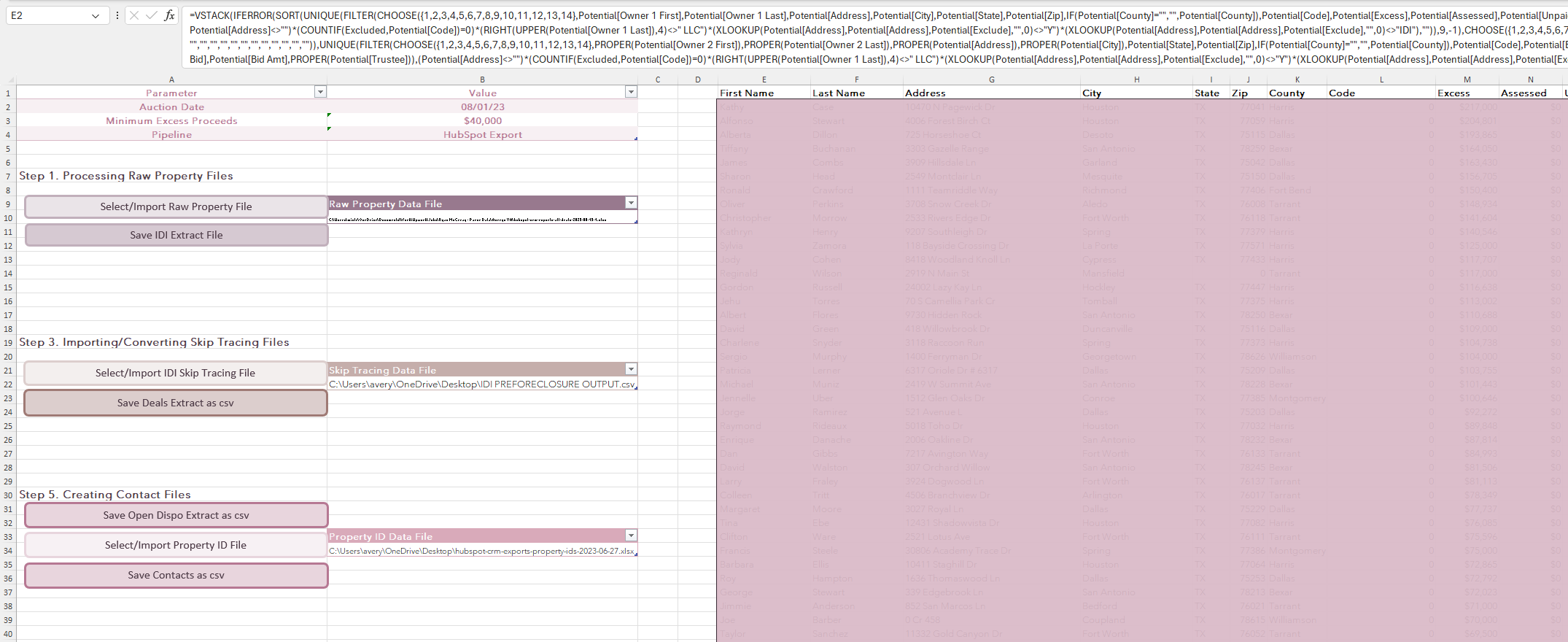
Fig. 1 — The interactive control panel and workspace guiding the client through each step.
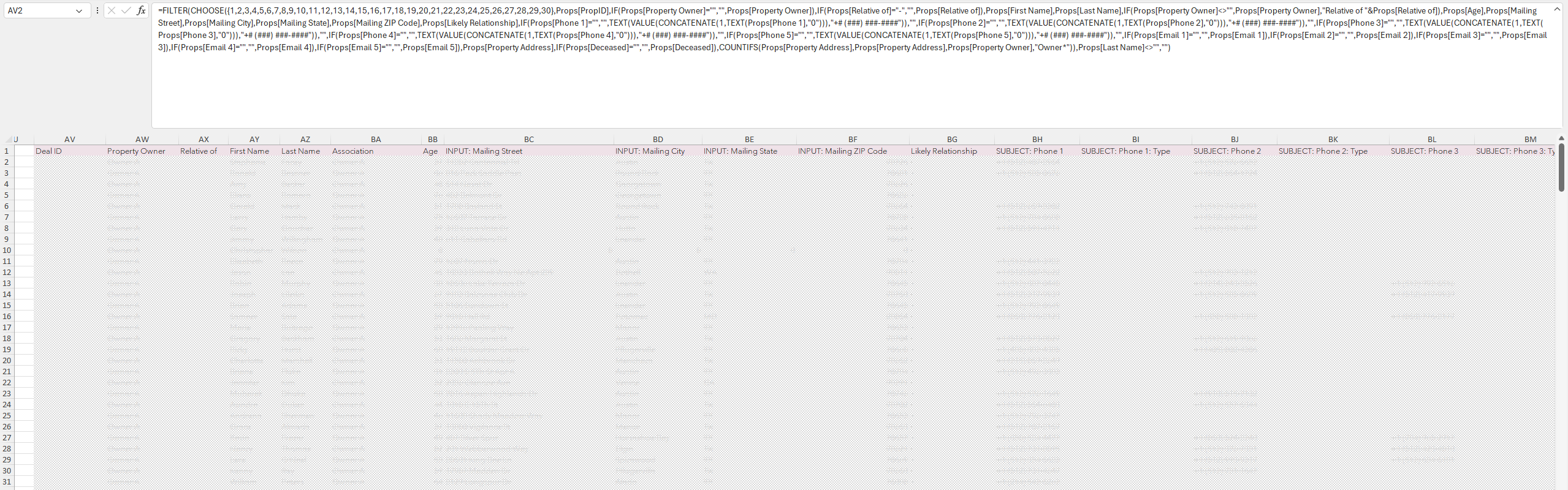
Fig. 2 — A complete export file, created with a single formula.
What Was Built
This system has been in continuous use since December 2022.
- A process that used to take about five hours per file, now runs in one minute
- Two master tables that let new skip-tracing services and CRMs get added without touching any existing automation
- A dedicated field-mapping table per data source, correctly translating each provider's own format, including separate mappings for owner and relative contact info
- Multiple lead-type pipelines (pre-foreclosure, tax sale, probate and heir, low-equity, and more), each added as the client's business expanded
- In active use nearly three years after delivery. Handed off to a new employee, a testament to the intuitiveness of the click-select workflow
A Note on Confidentiality
This project is not covered by a Non-Disclosure Agreement. The client is described by industry only, and no company or individual names appear on this page. Any figures or screenshots shown use placeholder data. The system architecture and methodology described are accurate.